
You should complete the steps for Establishing Your Credit Card iSMP4 WiFi Configuration prior to connecting your integration in PROSALE.
To connect your iSMP4 devices to your PROSALE account, you will need to follow the simple steps below.
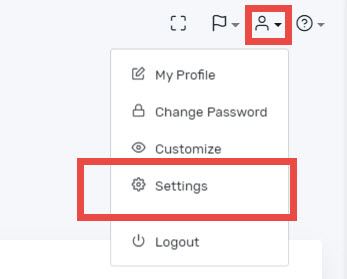
- Log into PROSALE and select the Company Settings from the person icon in the top right corner.
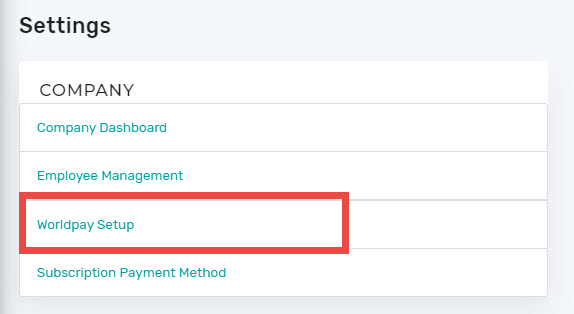
- Here choose the Worldpay Setup from the COMPANY menu.
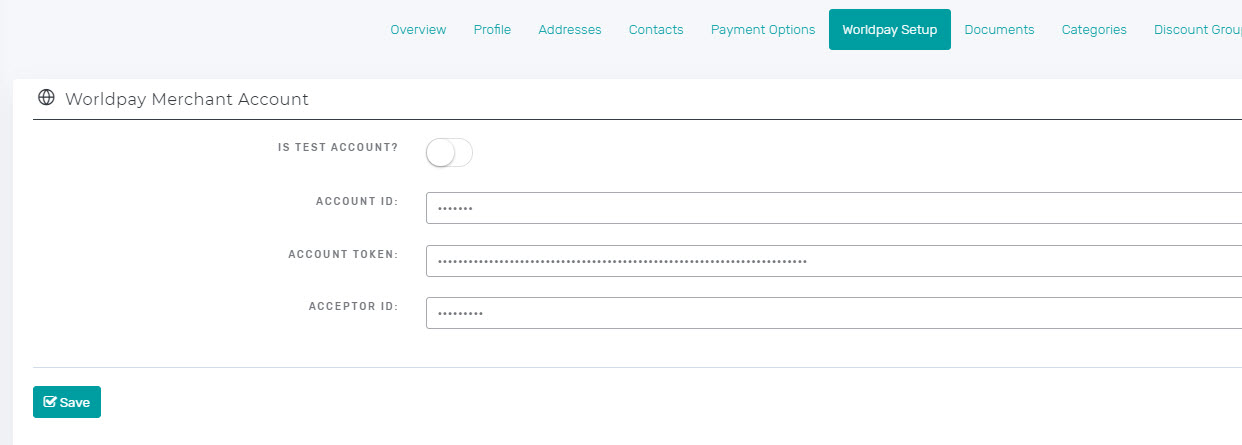
- You will need to enter your Worldpay Merchant Account credentials you should have received. If you have not yet gotten them and have been told you were approved, please reach out to support@prosale.com so they can try to obtain the information for you.
- Once your account information has been entered, you will need to Add New in the TERMINALS section.
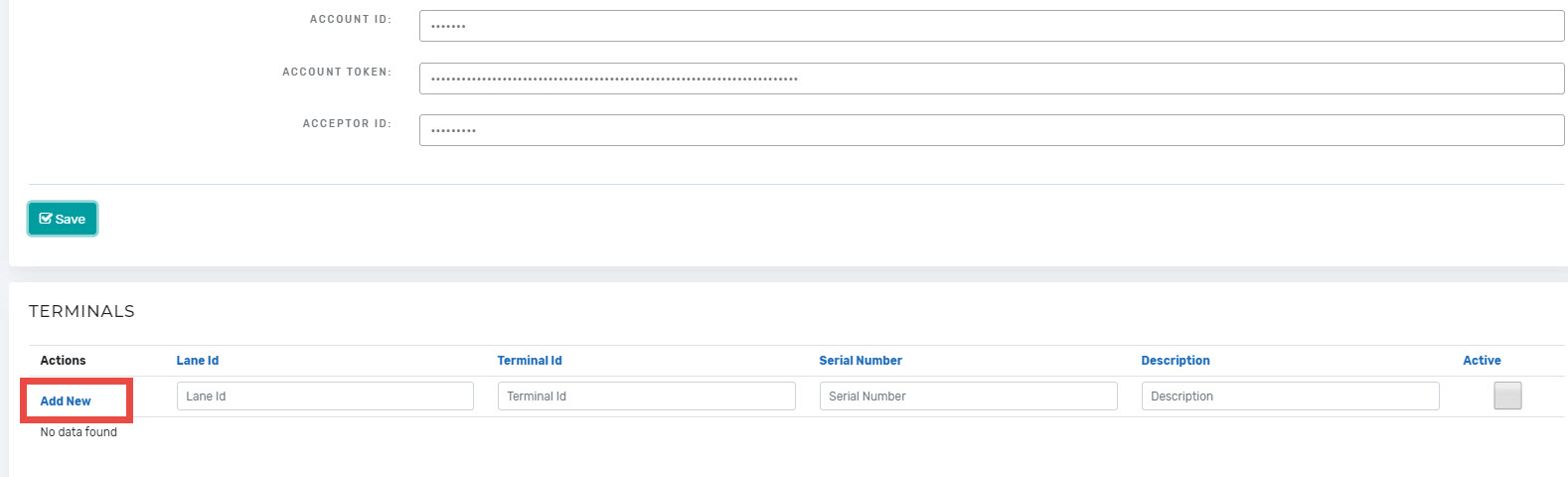
- You may add a DESCRIPTION, LANE ID, and TERMINAL ID of your choosing. It should match the label you choose to use to identify the device if you have more than one.
The SERIAL NUMBER should be listed on a sticker on the back of the terminal.
The ACTIVATION CODE should display on your iSMP4 when you have successfully set up the terminal's WiFi and it is powered On.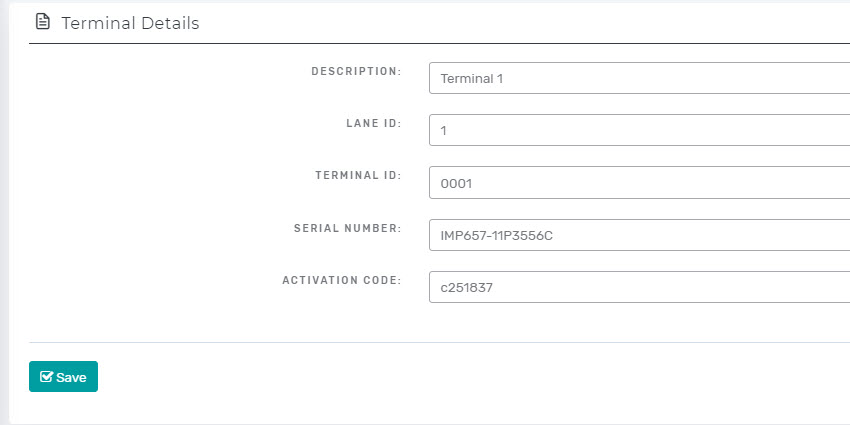
- Repeat these steps for each terminal. Remember to also mark the terminals in some way to identify them.
Comments
0 comments
Please sign in to leave a comment.