
To connect your Square account to your PROSALE account, you will need to follow the simple steps below.
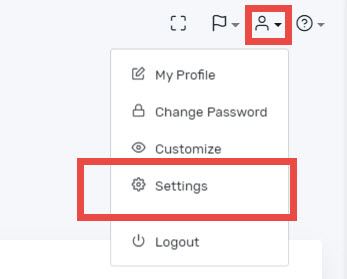
- Log into PROSALE and select the Company Settings from the person icon in the top right corner.
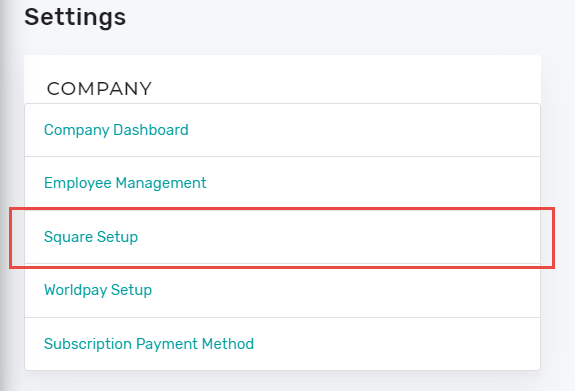
- Here choose the Square Setup from the COMPANY menu.
- You will need to click on the button to connect your account to Square. From there, you will be asked to log into your Square account and to allow PROSALE to interact with the Square system on your behalf.

- Once you are connected, you will be returned back to PROSALE and the connect button should now be green like below. This confirms your Square account is now connected to PROSALE.

- Now continue on to Connect Your Square Terminal to PROSALE
Comments
0 comments
Please sign in to leave a comment.