
You can create new users and assign various levels of securities to allow certain access to some employees without giving everyone the keys to the kingdom.
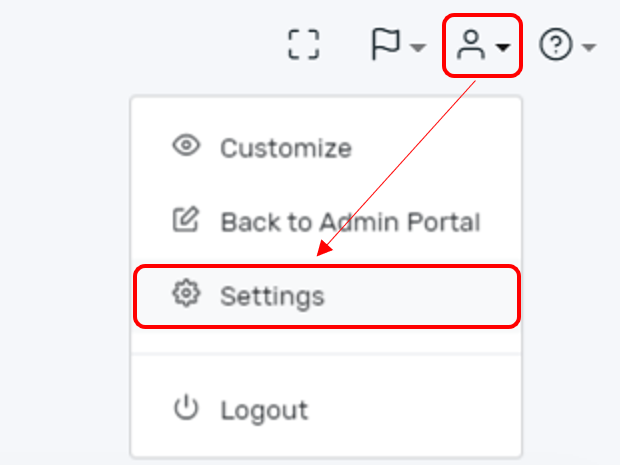
Step 1. Select the person icon in the upper right-hand corner of the PROSALE dashboard. Then select Settings.
Step 2. From the Settings menu choose the "Employee" tab.
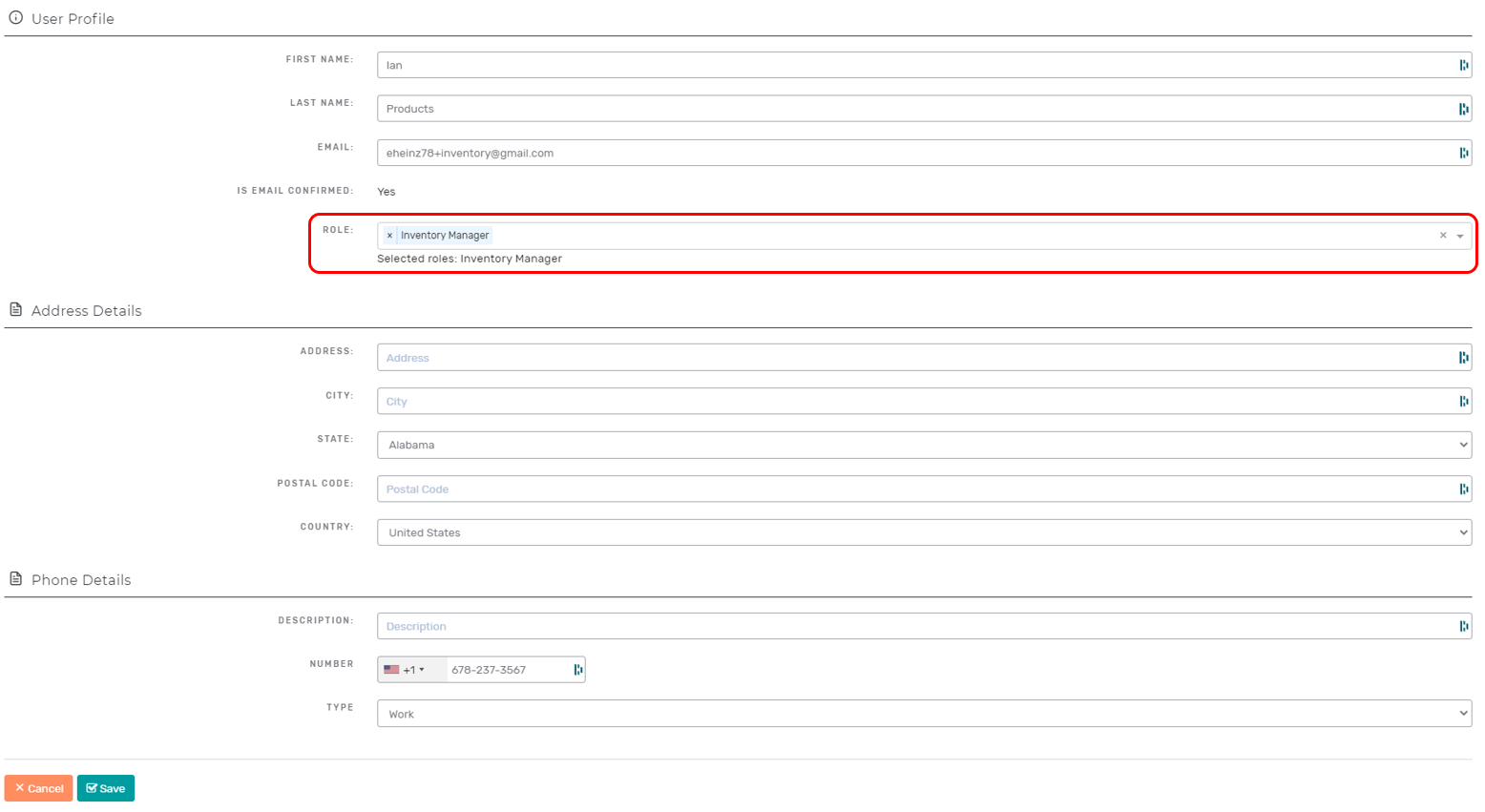
Step 3. You have two options. You can choose to create a new employee or you can edit an existing employee profile by selecting the pencil icon.

Either option allows you to manage the employee (user) profile. You have the ability to select the employee's role which will assign unique securities to that user. For example, you can assign one employee as a cashier while you assign another employee to be an inventory manager. Neither employee will have access to reporting, but each will have the ability to do their job.
Comments
0 comments
Please sign in to leave a comment.