
You can customize your categories by editing your company settings.
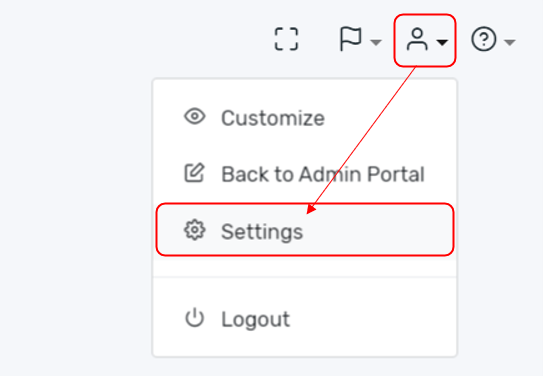
Select your profile and then settings.
Select Categories from the Company Dashboard menu. You have the ability to create, delete, and reorder your primary and secondary categories from here.
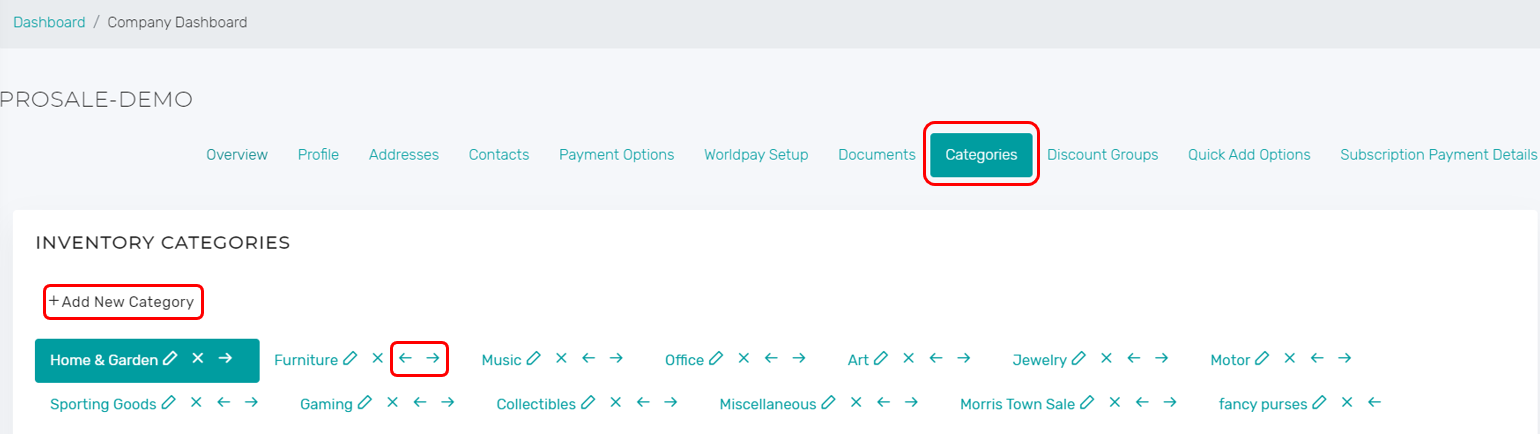
- The New Category button allows you to add a new top-level category or sub-category.
- The arrows will allow you to shift the viewing order of the categories within the system.
- The Edit Pencil Icon will allow you to change the name of the chosen category or sub-category.
- The "x" next to the category name will delete the chosen category.
Comments
0 comments
Please sign in to leave a comment.