
We are coming to you with some great updates, new features, and enhancements. Please take a minute to review the updates below!
UPDATES:
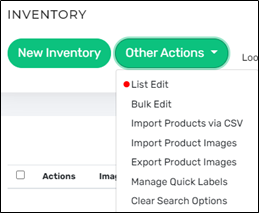
- List Edit Updates Works Faster: The new List Edit feature has been a heavily desired feature. We have enhanced the feature to save your changes much faster than before saving you time in the sale setup process. Select up to 100 items from your inventory table and then choose the “List Edit” button under the “Other Actions” drop down to manipulate the details of those inventory items in an editable spreadsheet format. When you have everything just the way you want it, click “Save” at record your changes. This makes it fast and easy to change the details for many products at one time.
- E-Commerce Make Offer 2.0: We have three (3) great updates to share with you.
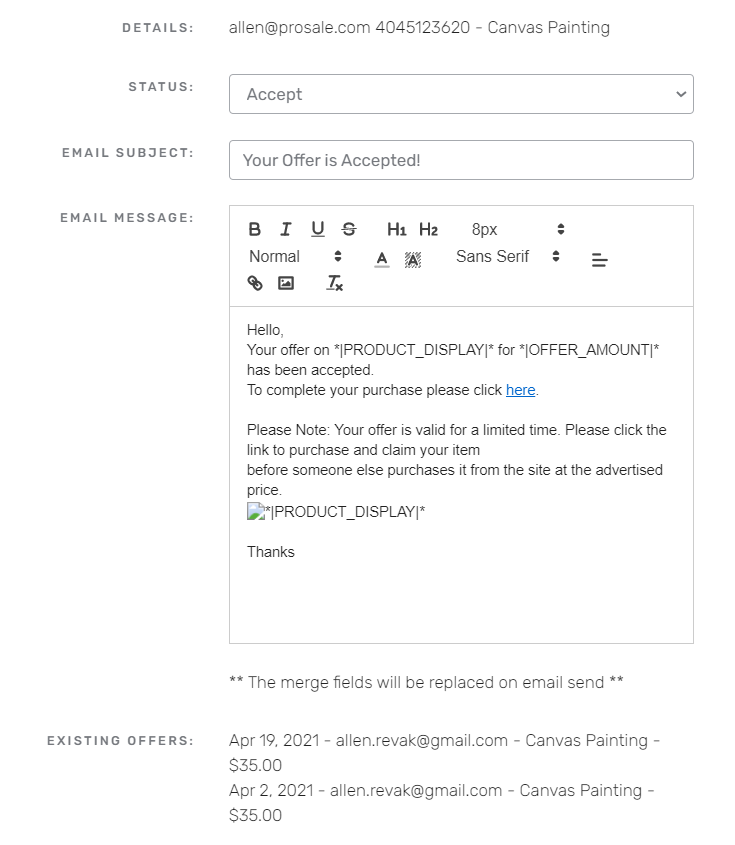
- Customer Response: You can now choose to edit the templated response when you accept, decline or counter an offer that you received from your online estate sale. Simply use the template provided to save time, or customize your response when choosing your response action.
- The "Offers" table showing all of your offers has been enhanced with filtering and sorting to easily view multiple offers on single products or even multiple offers on different products from the same customer.
- Customer Login Required: When a shopper desires to make an offer, they now have to create an account or login first. This helps in two big ways. First, it limits offers from people who are not serious about purchasing with you. Second, it is a direct reminder to the customer about which email to use with your store which will avoid data recording errors from customers choosing to use the wrong email to purchase.
- Customer Response: You can now choose to edit the templated response when you accept, decline or counter an offer that you received from your online estate sale. Simply use the template provided to save time, or customize your response when choosing your response action.
NEW FEATURES:
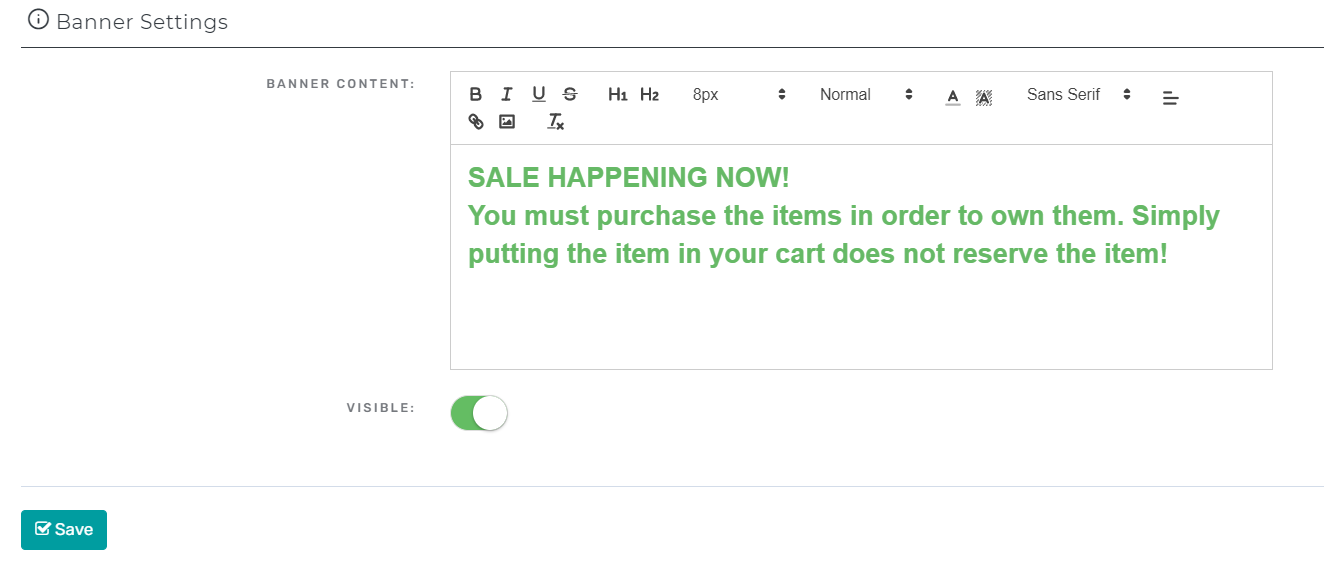
- Web Banners: You now have control of the font size, color, and other various aspects of your web banner if you have an e-commerce store with us for conducting online estate sales. Head on over to the E-Commerce Options tab found on your Company Dashboard under the Settings Menu. There you will see a section titled Banner Settings. Make sure to click save after formatting your banner.
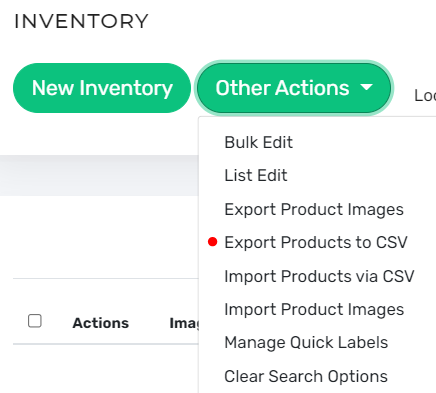
- Work Offline with Inventory Export to CSV: Do you want to work on your inventory list offline while driving down the road or in an area with poor internet service? Well... now you can. Simply export your inventory from the "Inventory" tab to download your inventory file to your local computer. Edit the CSV (excel) file and then reupload it later when you reconnect.
Are you a Raving Fan of PROSALE? Please like and review us on Facebook, Capterra, or on other platforms to spread the good news! Alternatively, email us at support@prosale.com if you have issues, concerns, or needs. We are here to help. Please let us know how we are doing and what else we can do to deliver the best technology and tools to promote sales, growth, and profit.
All the best,
The PROSALE Team
800-684-6365
info@prosale.com
We deliver technology and tools for the estate sale industry to promote sales, growth, and profit!
Comments
0 comments
Please sign in to leave a comment.