
If you are using an iOS device, such as an iPad or iPhone, to access PROSALE and add inventory pictures but you encounter a black screen when using your camera, you likely will need to grant your browser Camera access.
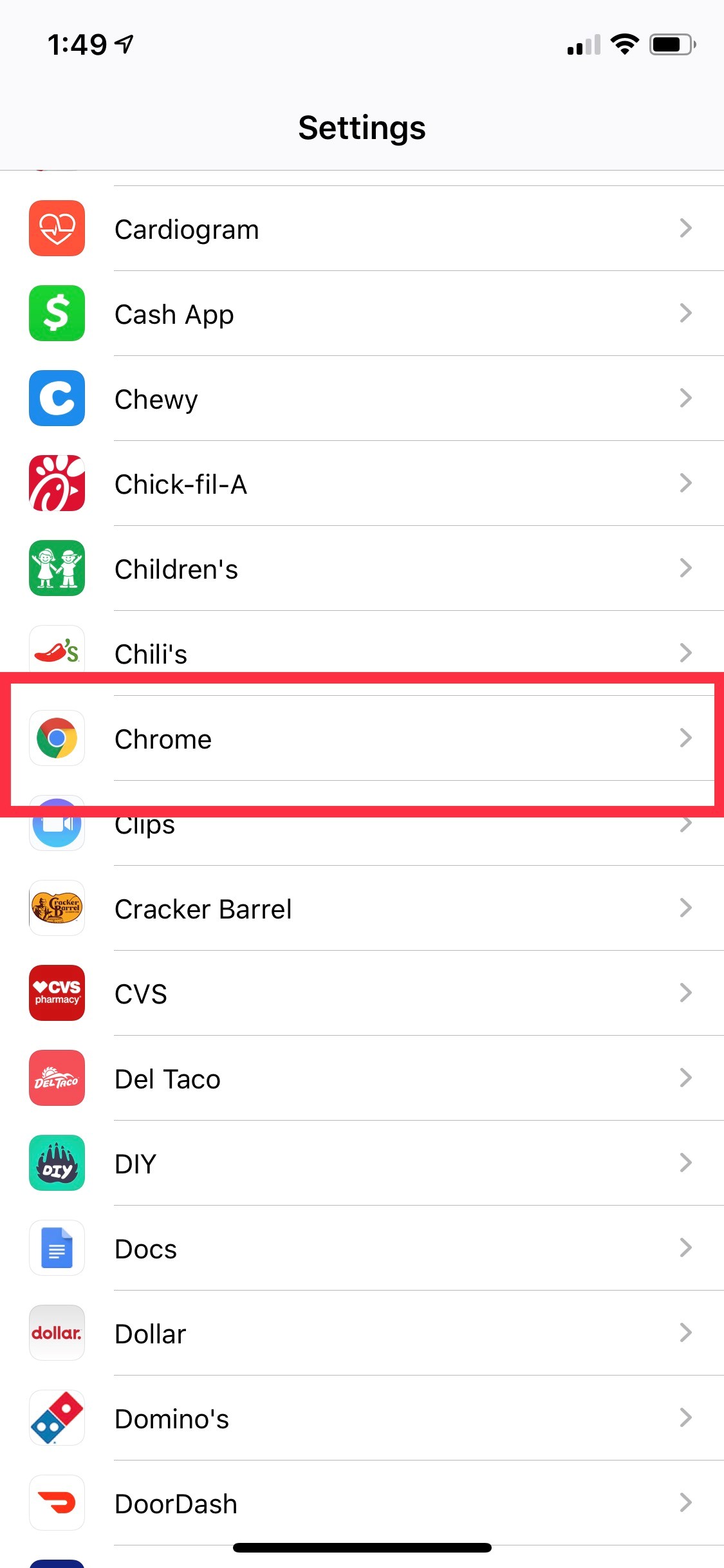
For an iPad, click your gear icon to enter the Settings and scroll down to Chrome. Here you will choose to toggle the button and ALLOW CHROME TO ACCESS the Camera.

For an iPhone, click your gear icon to enter the Settings and scroll down to Chrome.
On the next screen, you will choose to toggle the button and ALLOW CHROME TO ACCESS the Camera.
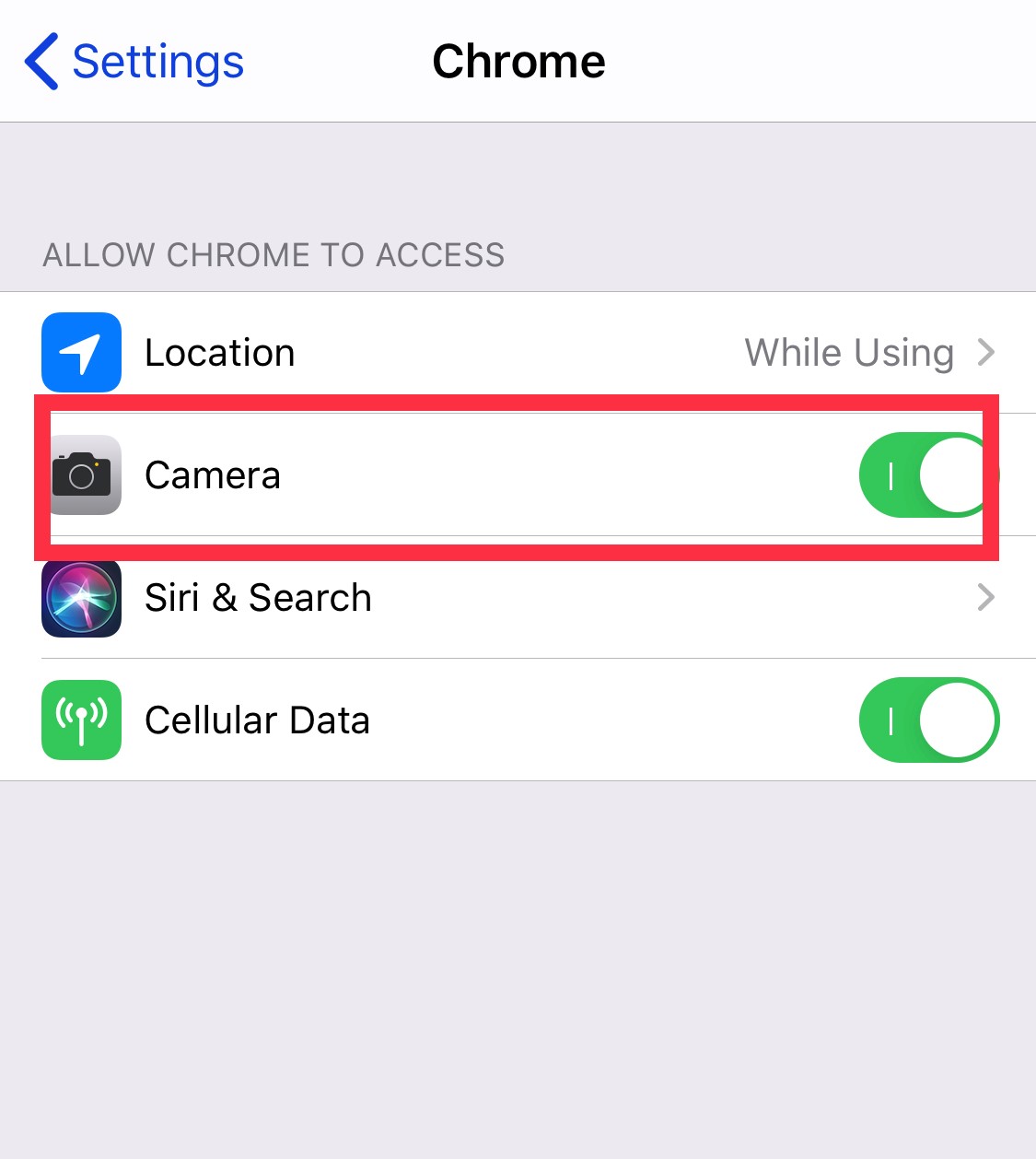
You should now be able to use your camera to add inventory pictures.
Comments
0 comments
Please sign in to leave a comment.