
It may be helpful on occasion when setting up or troubleshooting hardware to clear your Chrome browser history. This provides a blank slate.
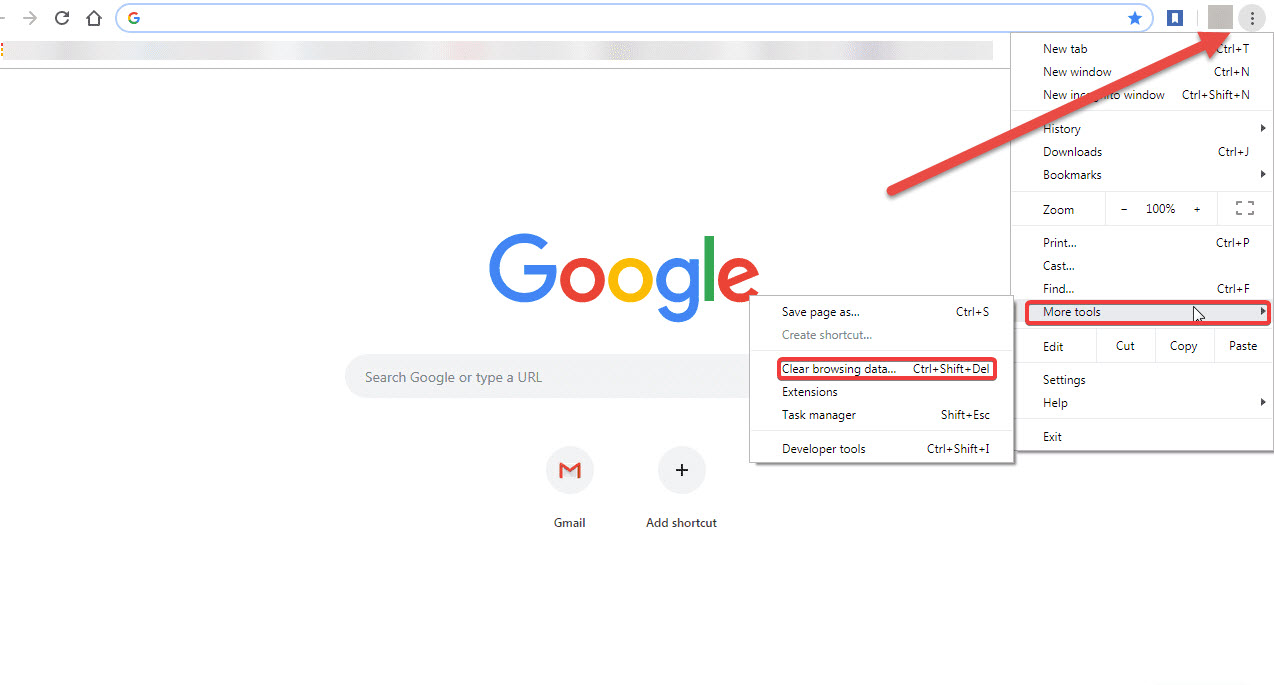
To reset your Chrome browser, click the three dots at the top right corner and select More tools >> Clear browsing data.
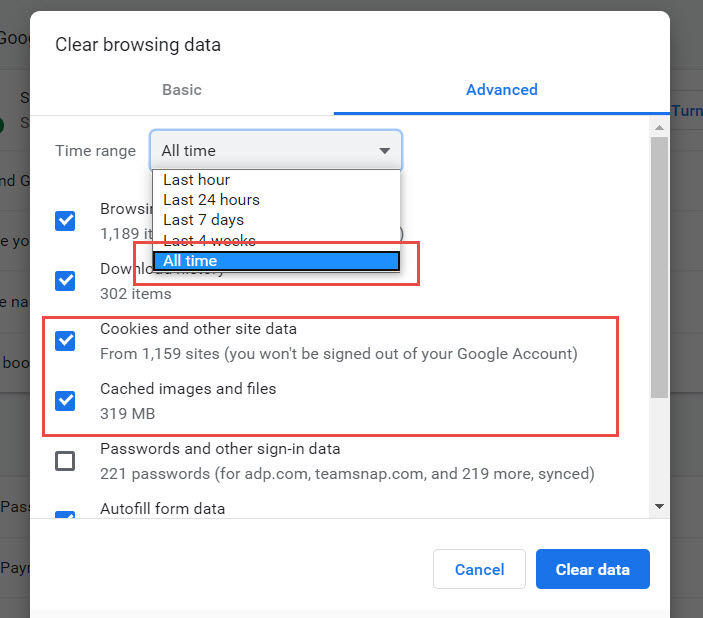
Next, choose a time range or delete everything by selecting All time. Then check the boxes next to Cookies and other site data and Cached images and files, and click Clear data. You may also clear other settings if you like.
Comments
0 comments
Please sign in to leave a comment.